Watch page
Your own watch page.
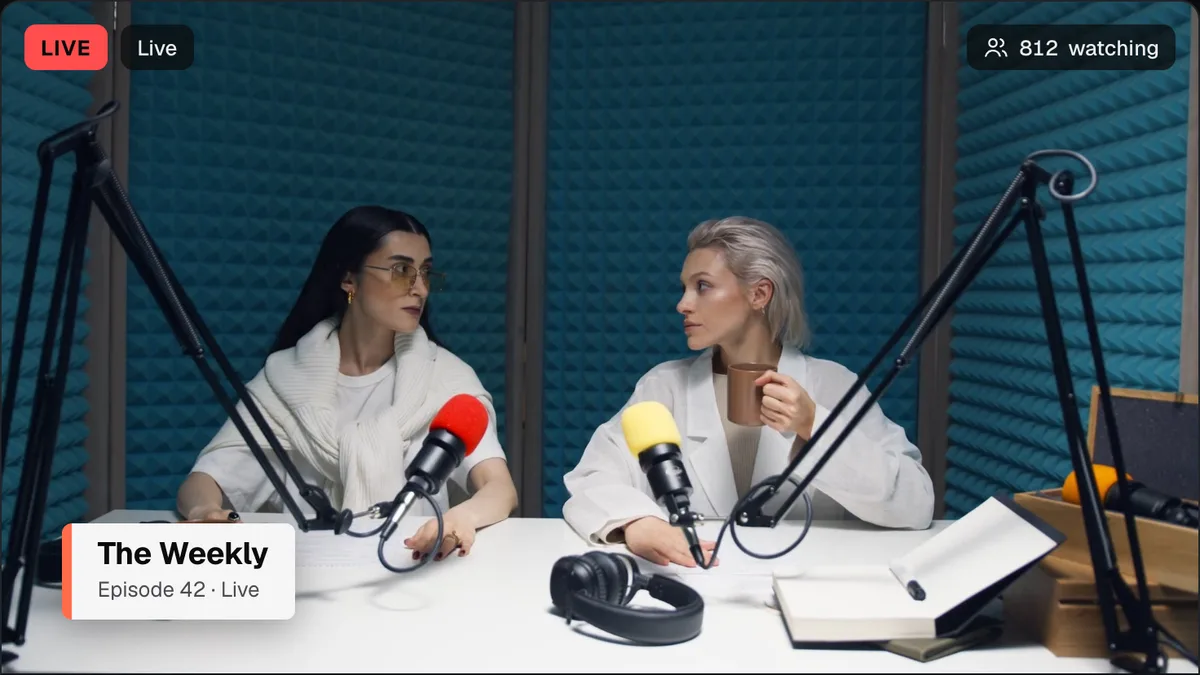
A page of your own that anyone can open and watch: no app, no account. Go live to it with your platforms, or on its own.
Sign-ups
Know who came.
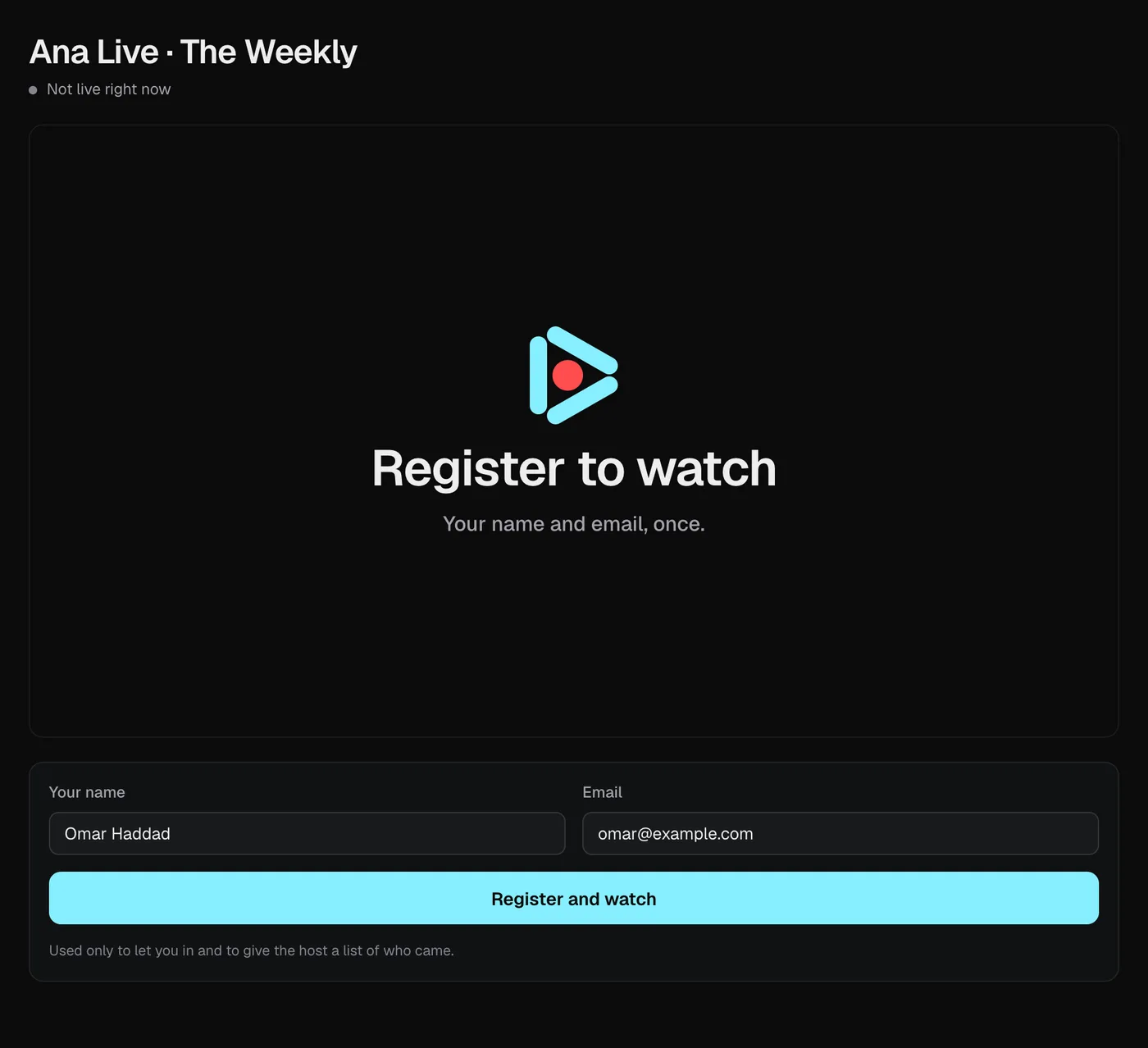
Turn on sign-ups and viewers give their name and email once before the stream plays. Sign-ups close at the number you set, and you get the list of who came.
- Off until you turn it on
- Webinars, classes and launches people register for
- Viewers vote in your polls right on the page
Passcode
Private when you want it.
Switch on Ask for a passcode and the page asks for it before it plays: four to 20 letters, numbers, spaces or dashes, and capitals never matter. A viewer types it once on each device and is let in for 30 days.
- Off by default: a page is open to anyone with the link
- A locked page shows only its title and whether it is live
- When you copy the address, the passcode comes with it
lumbuslive.com/watch/sunday-service
Passcode: SUNDAY
A viewer opens the link, types the passcode once on that device, and watches.
Your address
Name it, and the name is the link.
Type any name and it becomes the page’s address, 3 to 40 letters or numbers, cleaned for you as you type. If another page has it already, an address that is available is offered in one press.
- Rename it any time: the last five addresses still lead to the page
- Capitals in a link read as small letters
- The title viewers see takes any words, in any language
Address
Sunday Service
Becomes lumbuslive.com/watch/sunday-service · available
The room
A page that talks back.
Viewers chat beside the picture, ask questions and vote up the ones they want answered, and react with a tap. Your team replies as Host, puts a question on the stream, and deletes or blocks in one press.
- Chat, questions and reactions each on or off, with slow mode and your own blocked words
- Links are never posted, and anyone can report a message or hide someone
- Polls, predictions and quizzes, answered right on the page
Replays
Missed it? Watch it again, by chapter.
After a stream on your page, it plays again there under Watch again, with chapters from the moments the studio found, so a viewer goes straight to the part they want.
- On for every page; hide any one stream, or switch replays off
- Behind your passcode, or your tickets, like the live stream
- A report after each stream: who watched, for how long, and where most left
Sport
The score, from the sideline.
Run a scoreboard from your phone or the dashboard: the score, the clock and the period, on your stream and your page. Every goal goes on a timeline, which becomes the replay’s chapters.
- Goals one at a time, or points of 1, 2 or 3
- Viewers see the score when their picture does: no spoilers
- Predictions before kick-off, with who called it after
Teaching
A classroom, not just a stream.
Quiz your class and reveal the answer when you choose. A student raises a hand and you invite them on screen; others send you a private request. Share your slides and reading as resources, and send certificates of attendance after.
- Who came to each class, and for how long, in a spreadsheet
- Viewers keep their own notes beside the stream
- Each one only when you switch it on
Tickets
Charge to watch, when you want to.
Switch on Charge to watch and the page sells tickets for 1, 3, 7, 10 or 30 streams, each at the price you set. Viewers pay by card on the page, and you are paid out to your bank.
- A platform fee of 5% to 20% per ticket, by plan
- A stream is theirs from the moment they open it, with its recording to download when you allow it
- Watch in a browser, or in the Lumbus Live app with the ticket’s code
- A stream you charge for goes to your page alone, not to your platforms too
Sourdough masterclass
ShareNot live · starts Sat 28 Nov, 20:00, your time· Tickets from $8
Get a ticket to watch
Pay once on this page, and the stream plays here.
Get a ticket to watch
A stream is yours from the moment you open it: come and go as often as you like. One device at a time.
- 1 stream$8
- 3 streams$7 a stream$21
- 10 streams$6 a stream$60
Use your streams within 30 days of buying. You can download each stream you open.
Buy 1 stream · $8
You pay Bread and Butter Bakery. Your card details never reach Lumbus.
Have a ticket? Type your code
Viewers
Seats for everyone you invite.
Your watch page seats a number of people at once, set by your plan, for as long as you are live. It is delivered by Lumbus, not by your studio, so a big audience never slows your broadcast. When it is full, anyone arriving is told so and gets in when a place opens; nobody watching is dropped, and your platforms are never affected.
- 10
- Free
- 100
- Studio
- 250
- Studio Plus
- 500
- Studio Pro
- 1,000
- Studio Max
For as long as you are live. Nothing extra is charged for viewers.
And
Everything a viewer needs.
One link
Anyone opens it in a browser on a phone or a computer and watches. Nothing to install, nothing to sign up for.
On its own, or with your platforms
The watch page counts as somewhere to go live to: with no platform switched on, the stream goes to the page alone.
Polls, predictions and quizzes
Viewers answer on the watch page or by typing a number in chat, and the results come in live.
Questions
Something else? Write to live@getlumbus.com.
Can people watch without an account?
Yes. Your watch page is one link anyone can open. Turn on registration to ask for a name and email first, and see who came.
The full answerHide the full answer
Yes. Every studio can have its own watch page: one link that anyone can open, no account and no app. Turn on registration and viewers give their name and email once before they watch, registration closes at the number you set, and you get the list of who came. The page seats 10 viewers at once on Free, 100 on Studio, 250 on Studio Plus, 500 on Studio Pro, 1,000 on Studio Max.
How many people can watch on my watch page?
As many as your plan seats at once: 10 on Free, 100 on Studio, 250 on Studio Plus, 500 on Studio Pro, 1,000 on Studio Max, for as long as you are live. Nothing extra is charged for viewers.
The full answerHide the full answer
Your plan seats 10 viewers at once on Free, 100 on Studio, 250 on Studio Plus, 500 on Studio Pro, 1,000 on Studio Max, and nothing extra is charged for them. Your watch page seats a number of people at once, set by your plan, for as long as you are live. It is delivered by Lumbus, not by your studio, so a big audience never slows your broadcast. When it is full, anyone arriving is told so and gets in when a place opens; nobody watching is dropped, and your platforms are never affected.
Guides and how-tos
- How to charge people to watch your live streamSell tickets to a class, a gig or a match on a watch page of your own: how pricing, seats, payouts and fees work, and the one rule about free platforms.
- How to host a live webinar people register forSpeakers from a link, slides on screen, LinkedIn and YouTube at once, and a watch page people register for. How to plan, run and follow up a webinar.
- How to live stream a wedding for family far awayStream a wedding to a private page grandparents can open from a link: the camera, the sound, a connection that holds at the venue, and a recording after.
- Set up your watch pageA page of your own that anyone can watch: your own address, a passcode when you want one, sign-ups and replays.
- Chat, questions and reactions on your watch pageViewers chat, ask and vote up questions, and react under the picture. You reply, show a question on stream, delete and block.
Pick a plan and go live.
Buy by the month, or by the year to save 12%. Want to try it first? Studio Pro is free for three days, with eight hours on air and no card. Or start for free: two hours live a month, for as long as you like.
Go live from your phone with the Lumbus Live app.