Studio
The whole production, in a browser tab.
Scenes, guests, your brand and every platform at once, then the recording and the clips. Lumbus runs the production in the cloud; you run the show from a browser or your phone.
From $49 a month, cancel any time.Already a customer? Open your studio
What it does
Out to every platform, on every connection, from any camera.
And your own watch page can sell tickets to it.
Every platform at once.
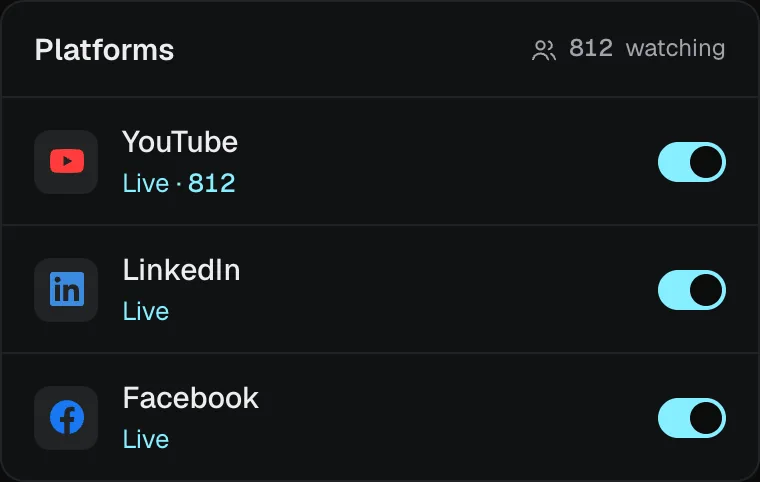
YouTube, LinkedIn, Facebook, X, Twitch, Kick, TikTok, Instagram, Rumble, Trovo, DLive, Vimeo, Steam and any RTMP address. Up to 20 at once on Studio Max, and any of them on or off mid-show.
Every platformBonding, with no hardware.
The phones around you lend their own connections, and your stream rides on all of them. When one network fades, the others carry it. No backpack, no box to buy: up to 14 phones on Studio Max.
How Bond worksAny camera you have.
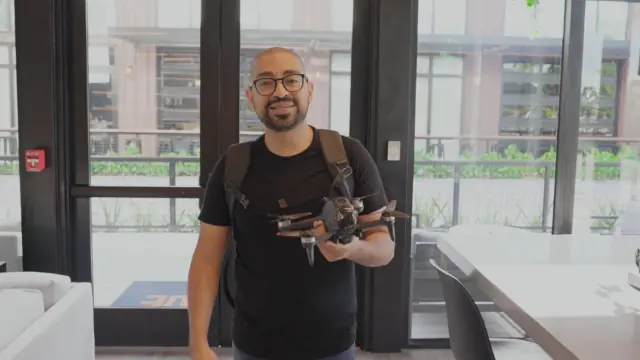
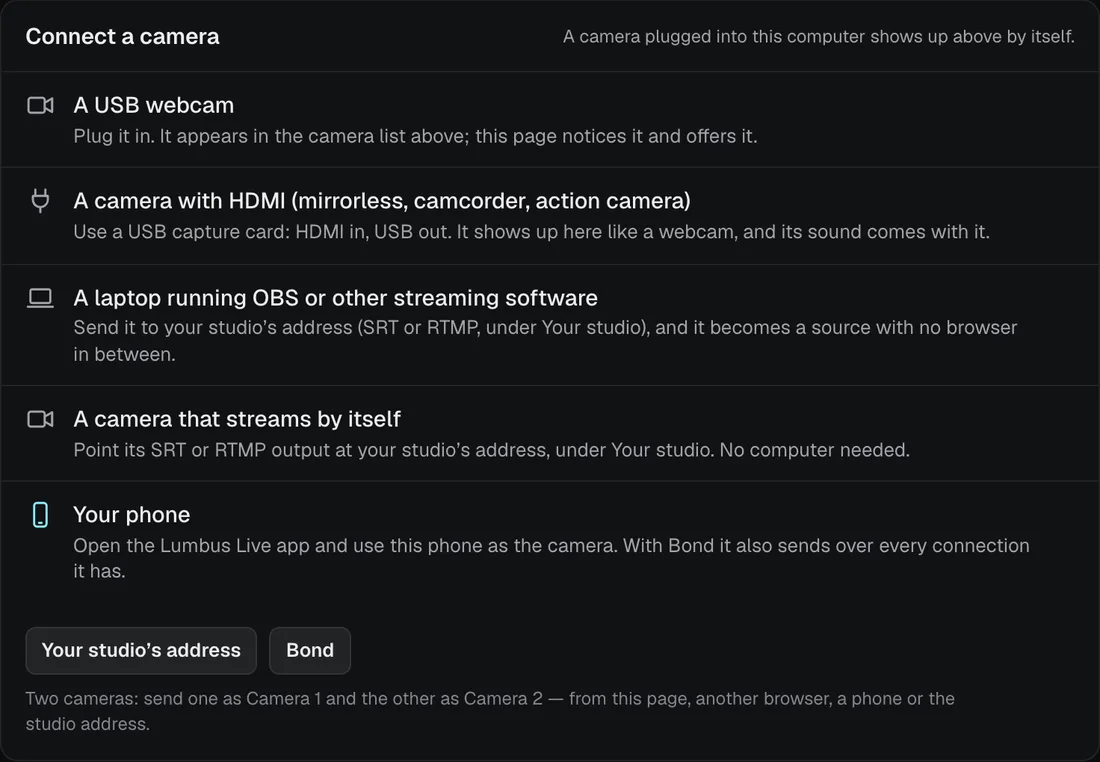
Your phone is the camera. Or plug a camera into your phone or laptop, or stream from your laptop. Two cameras at once from Studio Pro.
Ways to connectGet paid to go live.
Your own watch page sells tickets for 1, 3, 7, 10 or 30 streams, at your price. Viewers pay by card on your page, and you are paid out to your bank. The platform fee is 5% to 20%, depending on your plan.
Charge to watch
Why Lumbus Live
The full 60 frames, on every platform you use.
Every studio streams 1080p at 60 frames a second from its own graphics card, to the platforms its plan includes all at once, with the phones around you as its backup.
60fps
1080p at the full 60 frames a second
On every plan, Free included: twice the frames of a 30 fps stream, so fast motion stays smooth.
13platforms
Every platform you use, by name
YouTube, LinkedIn, Facebook, X, Twitch, Kick, TikTok, Instagram, Rumble, Trovo, DLive, Vimeo, Steam and any RTMP address. Up to 20 at once on Studio Max.
14phones
Bond: the phones around you, one connection
When one network fades, the others carry the stream. No backpack and nothing to buy: up to 14 phones lend their own connections on Studio Max.
1,000viewers
Your own watch page
Go live to a page of your own, with your platforms or without them. Viewers chat, ask and vote up questions, answer polls and quizzes, and watch again by chapter, up to 1,000 at once on Studio Max; a passcode keeps it private, and tickets charge to watch, when you want.
Dedicated
A graphics card for every studio
Each studio runs on its own machine with a graphics card, never shared with another customer. Scenes, guests, platforms and recordings run there, not on your computer.
By itself
Be right back, never a dead stream
When the signal drops, viewers see your Be right back scene instead of a frozen picture, and Live comes back when the signal does. Your platforms stay connected.
Unlimited
Live hours on every paid plan
Stream as often and as long as you like, under fair use. Nothing is ever charged for time on air.
8guests
Guests from a link
They join in their browser with camera, microphone and screen: no app and no account. Up to 8 on screen on Studio Pro and Studio Max.
2cameras at once
Any camera you have
Your phone is the camera, or plug a camera into your phone or laptop, or stream from your laptop. Two at once on Studio Pro and Studio Max.
Paid
Charge to watch
Your watch page sells tickets for 1, 3, 7, 10 or 30 streams, at your price, and you are paid out to your bank. A platform fee of 5% to 20%, by plan.
What it does for you
Lumbus never ends an active broadcast just because your connection disappears.
When your signal goes, every platform stays connected, viewers see your Be right back screen, and the studio waits for you. Even an update to the studio happens without stopping your stream, and if it loses touch with us, it keeps streaming and switching on its own.
- 1
Stay live.
Signal drops? Viewers see “Be right back”, and Live comes back by itself.
- 2
Stream to all your platforms.
Twitch, Kick, YouTube, TikTok and more, all at once, from one stream.
- 3
Run it from your phone.
Change what viewers see with one thumb, in a browser or the app.
- 4
Keep every stream.
Recordings and clips, downloaded as files that open in any editor.
Everything in it
From the camera to the clip, none of it an add-on.
The whole feature set, the way a stream flows. Every line under each part is exact.
In
What it takes in
Your phone, which is the encoder, or just your browser, with nothing else at all. A camera or a laptop connects too.
Every line
- SRT (preferred), RTMP, or bonded SRTLA from a phone bonding app
- H.264 and H.265 at the bitrate your connection carries
- Your phone through Bond, which is the encoder, or straight from a browser with nothing installed; a camera through your phone or a laptop; OBS or any streaming software on a laptop
- One feed in on Studio and Studio Plus; from Studio Pro a second source stands by as a backup and takes over the moment the first stops, or goes on screen as a second camera
- Previews, monitoring and every output are made in your studio
Production
What viewers see
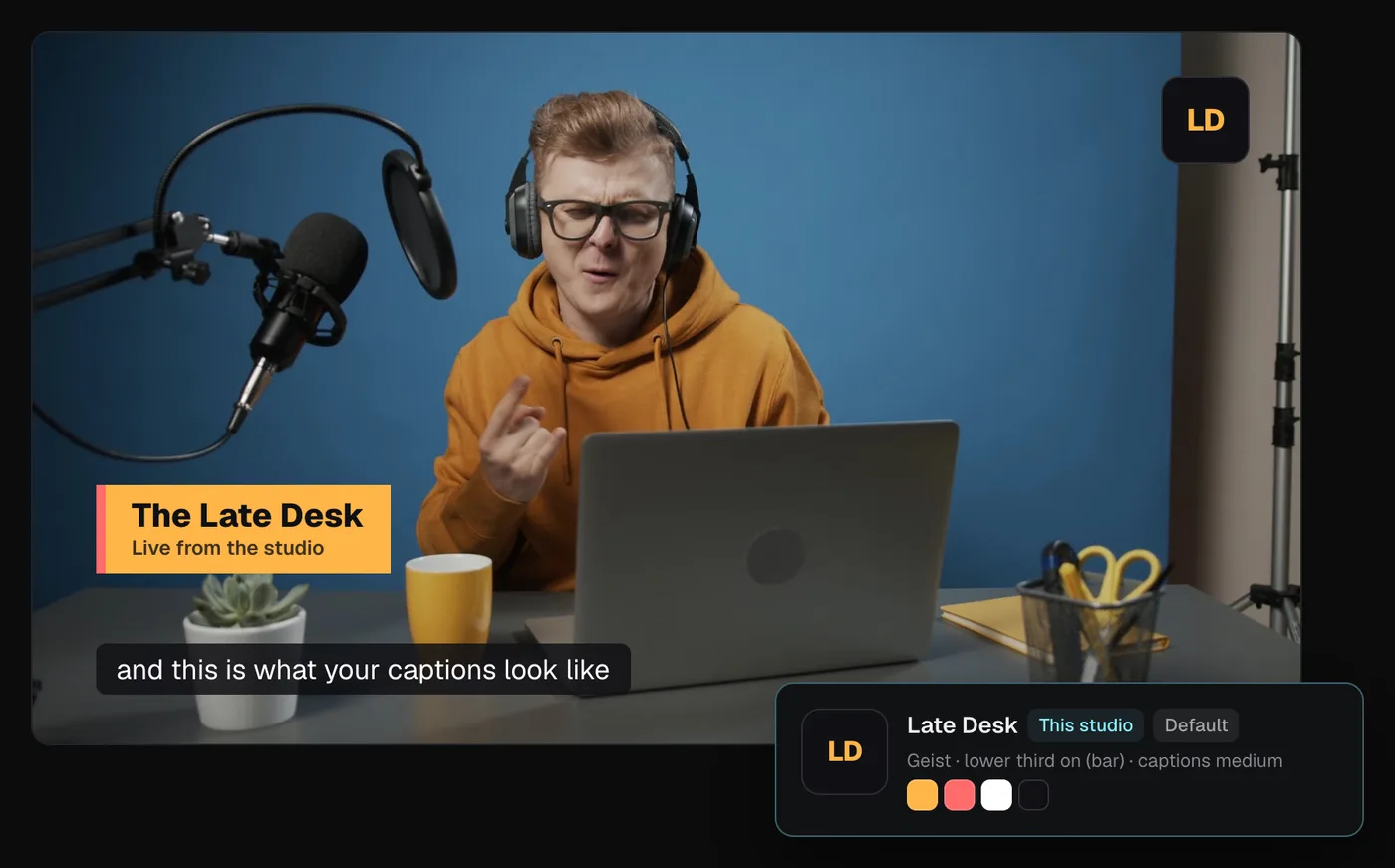
Ready-made scenes (Live, Be right back, Starting soon, Ending) and your own, with chat, captions, polls and guests on screen.
Every line
- Live, Low bitrate, Be right back, Starting soon and Ending pre-built, up to 30 scenes of your own
- A drag-and-drop canvas: feed, text, images and video, browser overlays, chat, captions, polls, guests
- Chat overlay for Twitch, Kick and YouTube; live captions from the programme audio
- Browser guests on their own seat with one link: 4 on Studio, 6 on Studio Plus, 8 on Studio Pro, 8 on Studio Max
- Polls that viewers answer from chat or the watch page
Automatic
What it does by itself
Puts Be right back up when your signal drops and goes back to Live when it returns. Your mods can switch it from chat.
Every line
- Low, Be right back and Live from the actual signal, with three presets and every threshold yours to change
- Chat commands for your mods: brb, live, fix, bitrate
- A schedule that sleeps and wakes your studio, never while anything streams
- Be right back and Back to Live for the moments the switcher should not decide
- A frozen or black picture is seen as such at any bitrate: shown as a word, and sent to Be right back if you ask
Live. Signal good.Preview · timings shortened Out
Where it goes
Twitch, Kick, YouTube, TikTok, Facebook, X, LinkedIn: from 5 at once on Studio to 20 on Studio Max, and a watch page of your own. Turn any of them off and on while you’re live.
Every line
- Twitch, Kick, YouTube, TikTok, Facebook, X, LinkedIn and custom RTMP
- Each platform toggles on and off while live, tests off-air with colour bars, and reconnects on its own
- Up to 1080p60 on every Studio plan; 1440p60 and 4K60 come with Custom
- A public watch page with an optional sign-up sheet, viewer counts and votes
Keep
What you keep
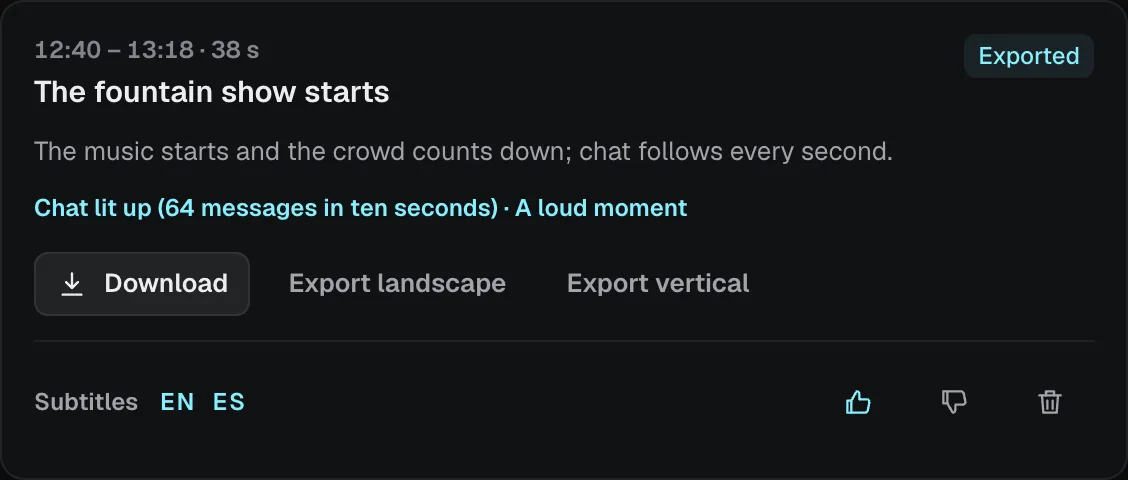
Record your streams and download them, ready to edit. Clip the best moments while you’re still live.
Every line
- Every recorded stream downloads as MP4, straight into Premiere Pro, Final Cut Pro, DaVinci Resolve or CapCut.
- 50 GB on Studio, 150 GB on Studio Plus, 500 GB on Studio Pro, 1 TB on Studio Max, kept while you subscribe
- Clips of the last 30 seconds to two minutes, cut without re-encoding while you stream
- From Studio Plus, the clean feed too: your camera exactly as it arrived, beside the programme
- Every past stream with its bitrate, drops and scene switches
Control and people
Who runs it
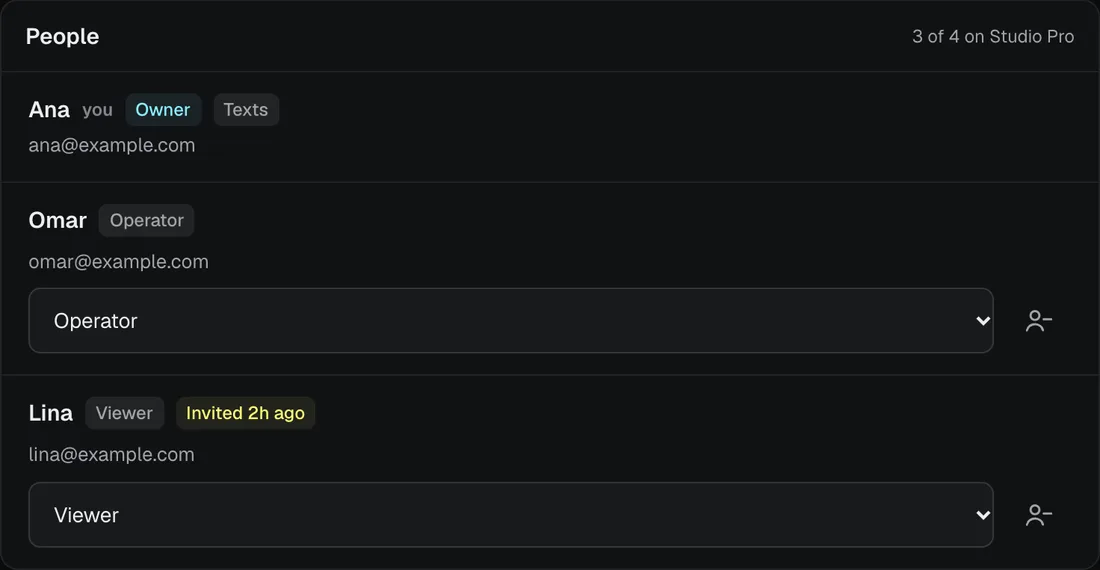
You, from your phone or any browser, and from Studio Plus, your team. Alerts reach you when something needs you.
Every line
- The dashboard in any browser, and the Lumbus Live app for iPhone and Android: go live, record, clip, switch platforms from your phone
- Owner, Operator and Viewer roles that Lumbus enforces, and an audit log of who did what; seats from Studio Plus, role permissions on Studio Max
- Alerts as cards, browser notifications, app pushes and email
- Your studio says in plain words what it cannot promise right now, and when it is fully healthy again

How each idea works, in full
- Stay live.
- The studio watches your feed once a second. Weak signal puts your Low bitrate scene up; a lost signal puts Be right back up; Live comes back on its own once the link has held, with a margin, so it never flaps. Viewers see a designed scene, never a frozen frame.
- Stream to all your platforms.
- One feed in; Twitch, Kick, YouTube, TikTok, Facebook, X, LinkedIn and custom RTMP out: from 5 at once on Studio to 20 on Studio Max. A platform that drops or rejects a key is retried on its own; the others never notice.
- Run it from your phone.
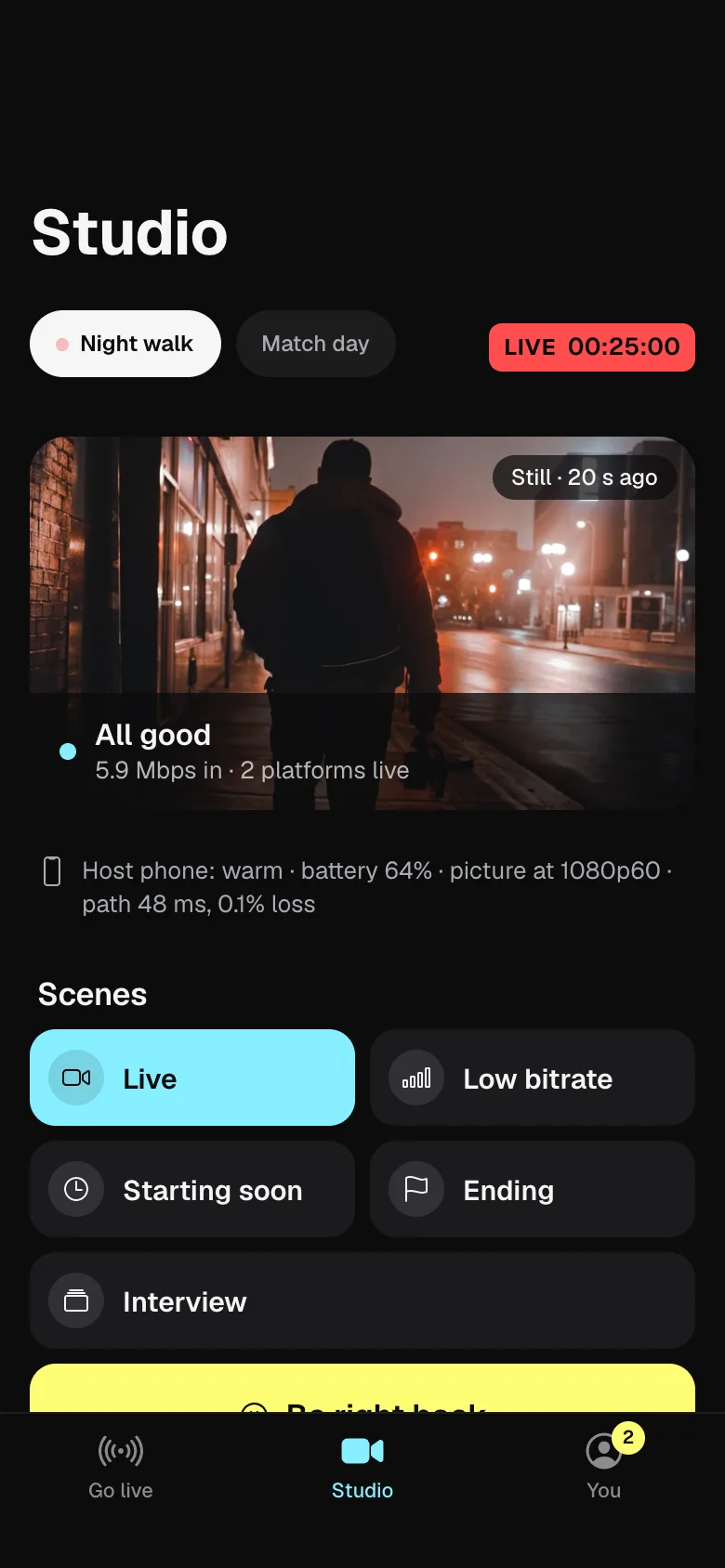
- The dashboard is laid out for one thumb on a street at night: scenes, Be right back, platforms on and off, recording, clips and End stream. The Lumbus Live app for iPhone and Android carries the same studio and every connection, with alerts as pushes even in the background.
- Keep every stream.
- Record and clip while you stream. Recordings download as MP4 files that open in any editor, and are kept while you subscribe, on every paid plan; pull down the ones you want and they are yours for good.
- When your connection disappears
- Losing signal is exactly when other systems make bad assumptions. Yours keeps every platform connected, puts a designed scene up, and waits for you. A restart or an update of the studio software happens underneath a running broadcast; if your studio cannot reach Lumbus it keeps streaming and switching on its own.
- The switch you can try below
- Low bitrate under 1.5 Mbps, Be right back under 0.5 Mbps or with no signal, and Live again once the feed has held over 2 Mbps: the studio’s default lines, every one yours to change. The studio waits 5 seconds before it switches away and 5 before it switches back; the preview shortens both, and its signal line is drawn, not measured.
Try the studio
This is the screen you run your stream from. Tap a scene, put up Be right back, turn a platform off and on, or weaken your signal and watch the studio switch by itself.
PreviewPlaying by itself
Scene
Auto-switch onActions
Puts Be right back on air and holds it, whatever the signal.
Platforms
4 of 4 liveIn your studio, End stream asks first: a tap, then one question that names what stops, so a stray tap can’t end it.
The app
The same studio, in the Lumbus Live app.
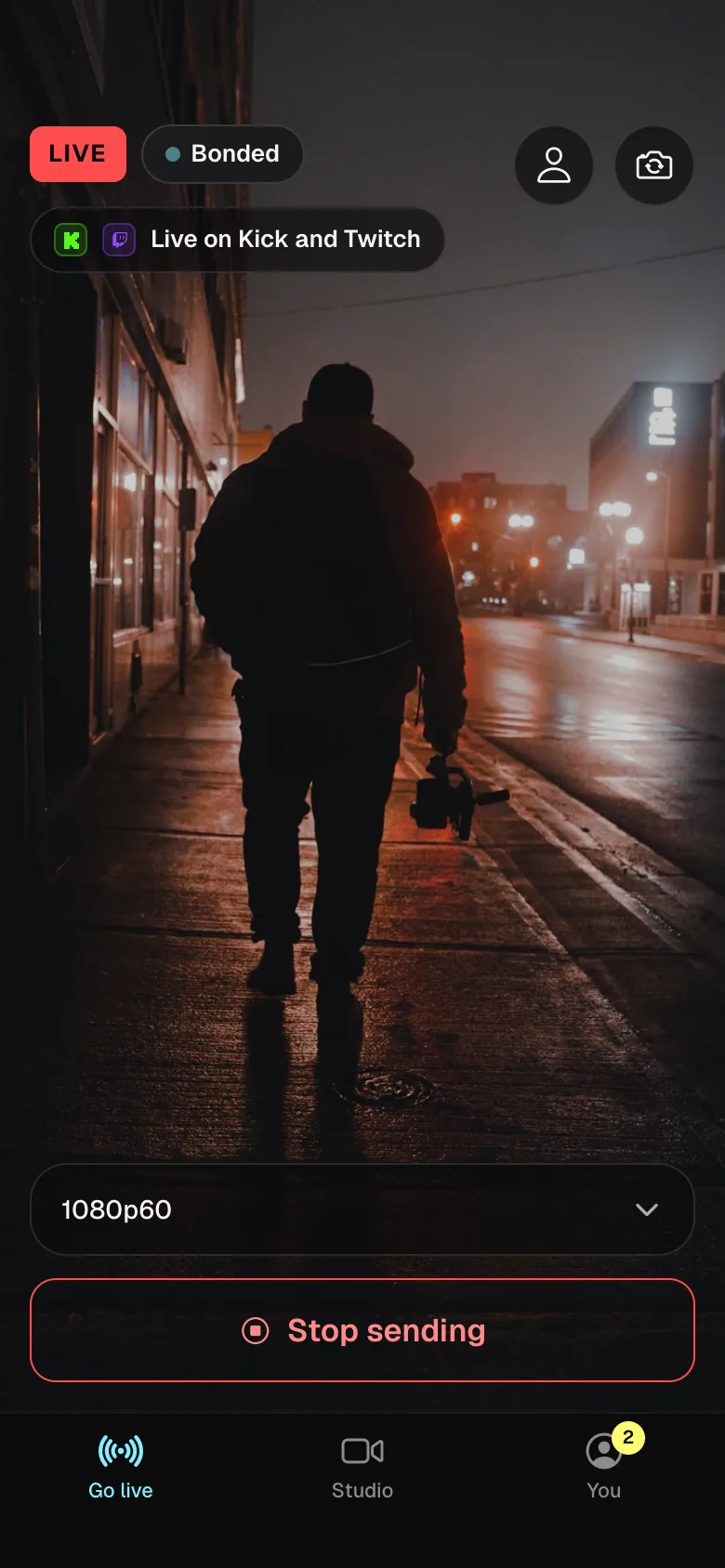
Run your stream from your phone. Change what viewers see with one thumb, check your connections, and get an alert when something needs you. Free with every Lumbus Live plan, with the same login as the web.

Free. Sign in with your Lumbus Live account.
Four Studio plans
Every Studio plan is the complete production room with Bond: two phones beside you on Studio, up to fourteen on Studio Max. The plans add phones, platforms, guests, cameras, team and storage.
Cancel any time.
Free
$0no card
For trying it out: 2 hours live a month · 2 platforms at once · Bond with one phone beside you · the Lumbus logo and our websites on the picture
Start for freeStudio
$49a month
5 platforms at once · 4 guests on screen · 1 seat · 50 GB kept while you subscribe
BuyStudio Plus
$89a month
8 platforms at once · 6 guests on screen · 2 seats · Clean-feed recording · 150 GB kept while you subscribe
BuyStudio Pro
$149a month
12 platforms at once · 8 guests on screen · 4 seats · Two cameras, or a backup source · Priority support · 500 GB kept while you subscribe
BuyStudio Max
$199a month
20 platforms at once · Two studios at once · 12 seats with roles · API and webhooks · 1 TB kept while you subscribe
BuyUp to 1080p60 on every plan; 1440p60 and 4K60 come with Custom. Custom: For 24/7 channels, major events and teams: bespoke limits agreed with us.
Buy any plan by the month, or by the year to save 12%. Want to try it first? Studio Pro is free for three days, with eight hours on air and no card. Or start for free: two hours live a month, for as long as you like. Prices in your currency; switch it at the foot of the page.
Switching to Lumbus
Already live somewhere else? Bring it all with you.
Your studio speaks the open protocols your camera and your streaming software already know: SRT, SRTLA and RTMP. Moving over is a test stream, not a project.
Keep your setup
If it can send SRT or RTMP, it can feed a Lumbus studio: OBS on a laptop, a camera that streams by itself, or your phone running Lumbus. Nothing to re-buy.
Keep your channels
Your Kick, Twitch, YouTube, TikTok, Facebook, X and LinkedIn keys paste straight into Platforms, up to 20 at once on Studio Max, and you can test each one off-air before your first stream.
Keep your way out
Recordings download any time as MP4s that open in any editor, plans cancel any time, and your stream keys stay yours.
The switch, in four moves
- 1
Point your camera or streaming software at your Lumbus address, or open the Lumbus Live app on your phone.
- 2
Paste your channel keys and test each one off-air.
- 3
Watch your stream in the studio preview until it looks right.
- 4
Cut over on a quiet day. Your current setup keeps running until you choose.
Works with: SRT, SRTLA, RTMP. If it can send SRT, SRTLA or RTMP, it can feed a Lumbus studio: OBS on a laptop, a camera that streams by itself, or another streaming app on a phone.
Guides and how-tos
- How to host a live webinar people register forSpeakers from a link, slides on screen, LinkedIn and YouTube at once, and a watch page people register for. How to plan, run and follow up a webinar.
- How to live stream a podcast with remote guestsGuests join from a link, every voice records on its own track, and the episode goes out live to YouTube at the same time. The setup, the sound and the edit.
- How to live stream a church serviceEvery service on YouTube and Facebook at once, with captions, a recording and a backup when the Wi-Fi drops. The setup, the sound and a Sunday routine.
- Your first stream, step by stepSign in, add a platform, choose what sends your picture, and go live: every step from a new account to your first stream.
- Getting around the studioWhere everything is in the studio: the rail on a computer, the tabs on a phone, the top bar, the alerts, and what Still there? means.
- Scenes, Be right back and your brandWhat viewers see in each moment: your scenes, Be right back by itself when the signal drops, and your brand on everything.
Where next
Pick a plan and go live.
Buy by the month, or by the year to save 12%. Want to try it first? Studio Pro is free for three days, with eight hours on air and no card. Or start for free: two hours live a month, for as long as you like.