Your production room in the cloud.
Scenes, overlays, guests and all your platforms at once, run from your phone. Bond gets your stream to Lumbus; Studio keeps the show running when the picture disappears. Keep OBS at home if you like it; Studio is the room your stream lives in when you are out, on several platforms, or on a phone.
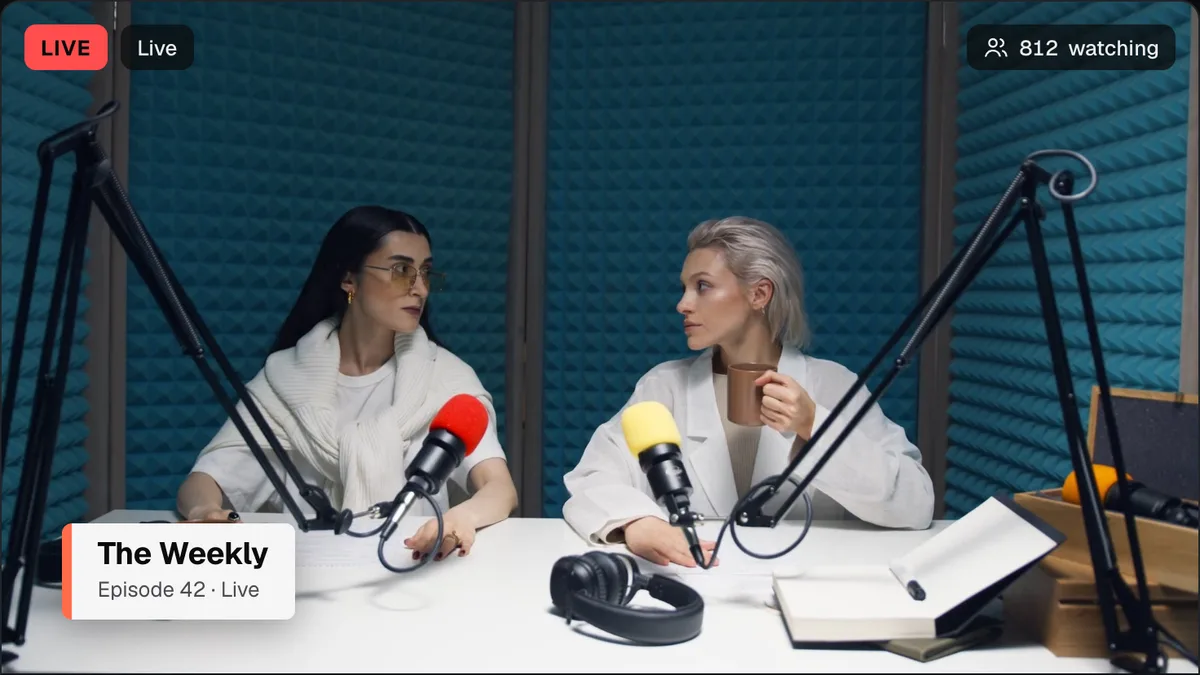
What you would use OBS for, done online.
- 1Scenes on a drag-and-drop canvas: your feed, text, images and video, browser overlays. Live, Low bitrate, Be right back, Starting soon and Ending come pre-built, with up to 30 of your own.
- 2Chat on screen from Twitch, Kick and YouTube, live captions from the programme audio, and polls your viewers answer from chat.
- 3Guests in the browser, on their own seat with one link: 4 on Studio, 6 on Studio Plus, 8 on Studio Pro, 8 on Studio Max.
- 4Recording and clips: Every recorded stream downloads as MP4, straight into Premiere Pro, Final Cut Pro, DaVinci Resolve or CapCut. Clips of the last 30 seconds to two minutes, cut while you stream.
- 5Every platform at once, from 5 on Studio to 20 on Studio Max, each one on or off while you are live.
Two ways to use it.
- 1Keep OBSSend its output to your studio’s address over SRT or RTMP. Studio adds the automatic Be right back, the platforms and the phone controls; your scenes stay in OBS.
- 2Skip OBSStream from your phone, which is the encoder, or straight from a browser with nothing installed, and build your scenes in Studio. A camera through your phone or laptop connects too.
Four Studio plans that cancel any time.
Studio is monthly or yearly and stands on its own: it works with whatever you stream from.
Cancel any time.
Free
$0no card
For trying it out: 2 hours live a month · 2 platforms at once · Bond with one phone beside you · the Lumbus logo and our websites on the picture
Start for freeStudio
$49a month
5 platforms at once · 4 guests on screen · 1 seat · 50 GB kept while you subscribe
BuyStudio Plus
$89a month
8 platforms at once · 6 guests on screen · 2 seats · Clean-feed recording · 150 GB kept while you subscribe
BuyStudio Pro
$149a month
12 platforms at once · 8 guests on screen · 4 seats · Two cameras, or a backup source · Priority support · 500 GB kept while you subscribe
BuyStudio Max
$199a month
20 platforms at once · Two studios at once · 12 seats with roles · API and webhooks · 1 TB kept while you subscribe
BuyWhat it does by itself.
Weak signal puts your Low bitrate scene up; a lost signal puts Be right back up; Live comes back on its own once the link has held, with a margin so it never flaps. Your mods can switch it from chat with brb, live, fix and bitrate, and a schedule sleeps and wakes your studio, never while anything streams.
Technical detailsOutput quality, recordings, and the studio’s own limits
- Output quality
- Send H.264 or H.265 at the bitrate your connection carries; 4 to 8 Mbps is the usual range at 1080p60. Studio makes its own output from that one feed, up to 1080p60 on every Studio plan (1440p60 and 4K60 come with Custom, for YouTube; Twitch, Kick and TikTok take 1080p at most), so a change of output quality never restarts anything mid-stream.
- Recordings
- Recordings are kept while you subscribe, on every paid plan, up to your plan’s storage; on Free each recording is kept 14 days. If storage fills, recording pauses until files are removed or more storage is added. The live stream continues.
- Live Studio hours
- Live Studio hours are unlimited on every Studio plan: stream as often and as long as you like, to every platform your plan includes. Unlimited live production is for normal creator and production use. A single stream can run for up to 24 hours; start it again to carry on. Continuous 24/7 channels, automated rebroadcasting and unusually high-volume use need a Custom plan.
Questions
Something else? Write to live@getlumbus.com.
Can I keep OBS?
Yes. Point OBS at your studio’s address over SRT or RTMP and keep your scenes where they are. Studio adds Be right back from your own signal, the platforms and the phone controls.
Do I need any hardware for a cloud studio?
No. Your phone running Lumbus is the encoder, or stream straight from a browser. OBS on a laptop, or a camera through your phone or laptop, works the same way, and nothing is sold with it.
Can I edit my streams afterwards?
Yes. Every recorded stream downloads as a standard video file that opens in the popular editing apps. Recordings are kept while you subscribe, on every paid plan, so download the ones you want to keep.
The full answerHide the full answer
Yes. Every recorded stream downloads as standard MP4 files that open in Premiere Pro, Final Cut Pro, DaVinci Resolve or CapCut. Recordings are kept while you subscribe, on every paid plan, so pull them down and they’re yours for good.
Will Studio ever end my stream by itself?
Lumbus never ends an active broadcast just because your connection disappears. A lost signal, a schedule, a restart of the studio software or an update never end a stream you are running: the stream ends when you end it, and Studio asks first. The one exception is the hours of the two plans with no card behind them, the free trial’s eight and Free’s two a month: you are told before they are used, and a stream still live then gets time to wrap up (an hour on the trial, fifteen minutes on Free), which is not extended, before it ends. What your studio cannot promise at any moment it says on your studio page, in plain words.
Keep reading
- How to stream to multiple platforms at onceGo live on YouTube, Twitch, Kick, TikTok, LinkedIn and more at the same time without doubling your upload: the three ways, and the one that holds.
- How to live stream a podcast with remote guestsGuests join from a link, every voice records on its own track, and the episode goes out live to YouTube at the same time. The setup, the sound and the edit.
- How to host a live webinar people register forSpeakers from a link, slides on screen, LinkedIn and YouTube at once, and a watch page people register for. How to plan, run and follow up a webinar.
- IRLToolkit alternativeAn IRLToolkit alternative: Lumbus Studio, a production studio in the cloud. Be right back when your signal drops, every platform at once, from $49 a month.
- Stream to Twitch and Kick at the same timeOne stream in, Twitch and Kick out at once, YouTube and TikTok too, without doubling your upload: from 5 platforms on Studio to 20 on Studio Max.
- SRT bondingSRT bonding sends one stream over several connections at once, so one weak network can’t take you off air. How Bond does it with the phones around you.
Pick a plan and go live.
Buy by the month, or by the year to save 12%. Want to try it first? Studio Pro is free for three days, with eight hours on air and no card. Or start for free: two hours live a month, for as long as you like.
Go live from your phone with the Lumbus Live app.

Where next