Your production room in the cloud, run from your phone.
Lumbus Studio takes one stream from your phone, which is the encoder, puts up Be right back when your signal drops, and sends you to every platform at once. OBS on a laptop or a camera that streams by itself connects too. If you are comparing it with IRLToolkit, here is what it does, in full.
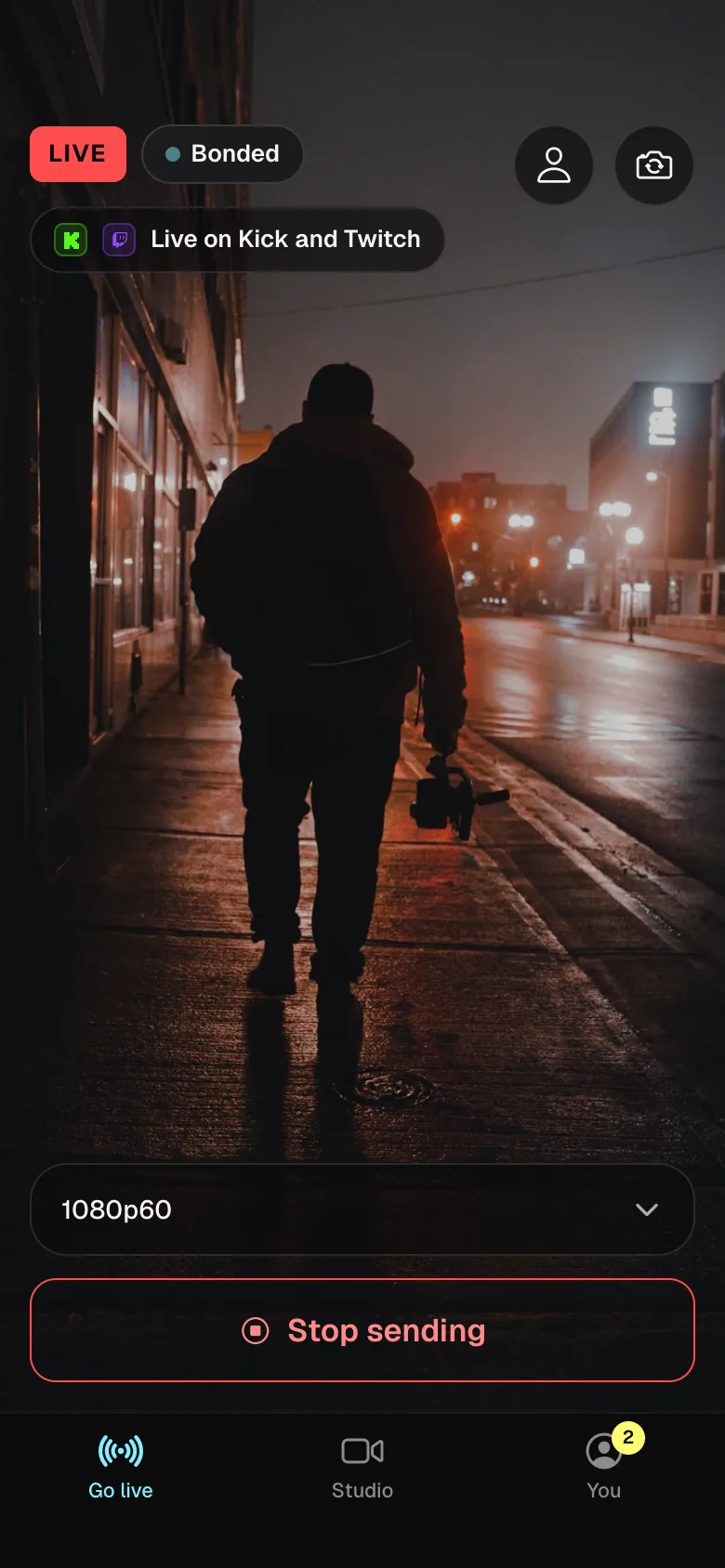
What it does.
- 1Stay live. Signal drops? Viewers see “Be right back”, and Live comes back by itself.
- 2Stream to all your platforms. Twitch, Kick, YouTube, TikTok and more, all at once, from one stream.
- 3Run it from your phone. Change what viewers see with one thumb, in a browser or the app.
- 4Keep every stream. Recordings and clips, downloaded as files that open in any editor.
Four Studio plans that cancel any time.
Studio is monthly or yearly and stands on its own: it works with whatever you stream from.
Cancel any time.
Free
$0no card
For trying it out: 2 hours live a month · 2 platforms at once · Bond with one phone beside you · the Lumbus logo and our websites on the picture
Start for freeStudio
$49a month
5 platforms at once · 4 guests on screen · 1 seat · 50 GB kept while you subscribe
BuyStudio Plus
$89a month
8 platforms at once · 6 guests on screen · 2 seats · Clean-feed recording · 150 GB kept while you subscribe
BuyStudio Pro
$149a month
12 platforms at once · 8 guests on screen · 4 seats · Two cameras, or a backup source · Priority support · 500 GB kept while you subscribe
BuyStudio Max
$199a month
20 platforms at once · Two studios at once · 12 seats with roles · API and webhooks · 1 TB kept while you subscribe
BuyWhat comes in, what goes out.
| What is compared | Studio |
|---|---|
| In | Your phone running Lumbus, which is the encoder, or straight from a browser. A camera or a laptop connects over SRT (preferred), RTMP or bonded SRTLA: OBS on a laptop, a camera through your phone or laptop. |
| Out | Twitch, Kick, YouTube, TikTok, Facebook, X, LinkedIn and custom RTMP, from 5 at once on Studio to 20 on Studio Max, and a watch page of your own. |
| Scenes | Live, Low bitrate, Be right back, Starting soon and Ending pre-built, up to 30 of your own, on a drag-and-drop canvas. |
| On screen | Chat overlay for Twitch, Kick and YouTube; live captions; polls; browser guests on their own seat: 4 on Studio, 6 on Studio Plus, 8 on Studio Pro, 8 on Studio Max. |
| Control | Any browser, the Lumbus Live app on iPhone and Android, and chat commands for your mods: brb, live, fix, bitrate. |
| Keep | Every recorded stream downloads as MP4, straight into Premiere Pro, Final Cut Pro, DaVinci Resolve or CapCut. Clips of the last 30 seconds to two minutes while you stream. |
Switching takes one test stream.
- 1Point your laptop or camera at your studio’s addressYour studio has its own SRT and RTMP address from day one.
- 2Paste your channel keys and test off-airEach platform tests with colour bars before anything goes live.
- 3Cut over when it looks rightYour current provider keeps running until you cancel it, so nothing goes dark.
Nothing to buy.
Your phone is the camera. Studio works with it from $49 a month, and with any camera through your phone or laptop. More on Cameras
Technical detailsUnlimited live hours, viewers at once, recordings, and where your studio runs
- Live Studio hours
- Live Studio hours are unlimited on every Studio plan: stream as often and as long as you like, to every platform your plan includes. Unlimited live production is for normal creator and production use. A single stream can run for up to 24 hours; start it again to carry on. Continuous 24/7 channels, automated rebroadcasting and unusually high-volume use need a Custom plan.
- Watch page viewers
- Your watch page seats a number of people at once, set by your plan, for as long as you are live. It is delivered by Lumbus, not by your studio, so a big audience never slows your broadcast. When it is full, anyone arriving is told so and gets in when a place opens; nobody watching is dropped, and your platforms are never affected.
- Recordings
- Recordings are kept while you subscribe, on every paid plan, up to your plan’s storage; on Free each recording is kept 14 days. If storage fills, recording pauses until files are removed or more storage is added. The live stream continues.
- Where it runs
- Near where you go live from: each time it starts after resting, it starts close to you, so the hop from your phone or camera is short wherever you travel. Your scenes and platforms stay the same. On a schedule it sleeps when you are done and wakes before you start, never while anything is streaming.
Questions
Something else? Write to live@getlumbus.com.
Do I need any hardware to use Studio?
No. Your phone running the Lumbus Live app is the encoder, or you can stream straight from a browser. A camera or a laptop connects too: OBS on a laptop, a camera through your phone or laptop. Nothing to buy.
What happens when my signal drops?
Viewers see a “Be right back” screen instead of a frozen picture, and Live comes back by itself when your signal returns. All your platforms stay connected the whole time.
The full answerHide the full answer
Studio watches your feed once a second. Weak for a few seconds and viewers get your Low bitrate scene; gone, and they get Be right back. A frozen or black picture arriving at a healthy bitrate is seen too: shown as a word, and sent to Be right back if you turn that rule on. Live comes back by itself once the signal has held for a few seconds, with a margin, so it never flaps. Viewers see a designed scene, not a frozen frame, and all your platforms stay connected the whole time.
I already stream through another cloud studio. How hard is switching?
One test stream. Point your camera or streaming software at your Lumbus address, add your channels, test, and switch when it looks right. Your old service keeps running until you cancel it.
The full answerHide the full answer
One test stream. Lumbus gives you your own SRT and RTMP addresses from day one: point your camera or streaming software at them, or open the Lumbus Live app on your phone, paste your channel keys, test off-air, and cut over when it looks right. Your current provider keeps running until you cancel it, so nothing goes dark.
Where does my studio run?
Near where you go live from, so the hop from your phone is short. There is nothing to choose or move.
The full answerHide the full answer
Near where you go live from: each time it starts after resting, it starts close to you, so the hop from your phone or camera is short wherever you travel. Your scenes and platforms stay the same. On a schedule it sleeps when you are done and wakes before you start, never while anything is streaming.
Keep reading
- Why your IRL stream keeps droppingStreams drop on the move because upload collapses in crowds and between masts. The fixes in order, from a lower bitrate to a studio that holds your broadcast.
- How to stream to multiple platforms at onceGo live on YouTube, Twitch, Kick, TikTok, LinkedIn and more at the same time without doubling your upload: the three ways, and the one that holds.
- Cloud OBSOBS in the cloud: a production studio online. Scenes, overlays, chat, guests and every platform at once, from a browser or your phone. From $49 a month.
- Stream to Twitch and Kick at the same timeOne stream in, Twitch and Kick out at once, YouTube and TikTok too, without doubling your upload: from 5 platforms on Studio to 20 on Studio Max.
- SRT bondingSRT bonding sends one stream over several connections at once, so one weak network can’t take you off air. How Bond does it with the phones around you.
IRLToolkit is a trademark of its owner. Lumbus Live is an independent company and is not affiliated with or endorsed by IRLToolkit; nothing on this page describes their service.
Pick a plan and go live.
Buy by the month, or by the year to save 12%. Want to try it first? Studio Pro is free for three days, with eight hours on air and no card. Or start for free: two hours live a month, for as long as you like.
Go live from your phone with the Lumbus Live app.

Where next